

How to Clean a Phone Speaker Without Damaging It
Learn how to clean your phone speaker safely, which tools and cleaning methods to avoid, and what to do if your phone still sounds muffled.
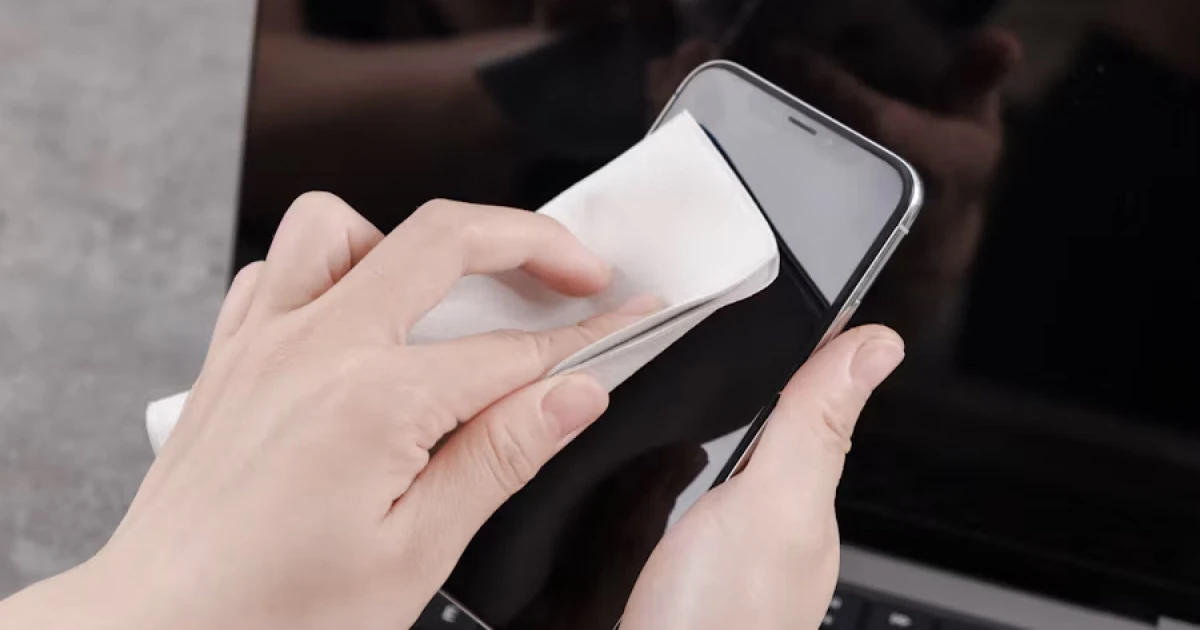
Everyday exposure to pocket lint, fine dust, and skin oils can gradually clog smartphone speaker grilles, causing audio output to sound quiet, muffled, or distorted. While maintaining a clean exterior helps restore sound quality, using incorrect tools or aggressive techniques can easily puncture the acoustic mesh or push debris deeper into the device.
Safely maintaining your device requires strict adherence to manufacturer guidelines, gentle handling, and avoiding improvised cleaning hacks.
Before you clean your phone speaker
Speaker designs, mesh configurations, and water-resistance tolerances vary significantly across different phone manufacturers and model generations. A cleaning method approved for one device can easily ruin another.
Before beginning any maintenance:
- Verify your exact phone model and review official manufacturer support documentation.
- Disconnect all charging cables, headphones, and external accessories.
- Inspect the audio ports under bright lighting to identify the nature of the blockage.
- Confirm whether the device has recently encountered moisture or liquid splashes.
If your phone is wet, prioritize manufacturer-approved drying instructions before attempting any physical cleaning.
How to clean a phone speaker safely
Step 1: Inspect the speaker grilles under bright light
Locate all speaker openings—typically positioned along the bottom chassis or near the earpiece. Examine them closely with a flashlight to check for compacted lint or residue. Verify that a thick phone case or screen protector isn’t overlapping and dampening the acoustic port.
Step 2: Power down your device
Turn off your phone completely to prevent accidental inputs or electrical shorts while working around sensitive ports.
Step 3: Use manufacturer-approved exterior tools only
Follow the cleaning tools and techniques specifically endorsed for your device. For instance, Apple provides dedicated instructions for iOS hardware in its official guide, Cleaning your iPhone.
Keep all movements exceptionally light, ensuring you never force debris into the micro-perforations of the mesh.
Step 4: Keep liquids away from speaker openings
Never pour water, rubbing alcohol, glass cleaner, or solvents directly into speaker ports. Even if a cleaning solution is safe for glass screens, internal adhesives and speaker diaphragms can be permanently destroyed by liquid ingress.
Step 5: Verify sound restoration
After completing maintenance, play a familiar reference audio track at a moderate volume. Compare clarity against secondary playback sources to evaluate if the obstruction has been cleared.
Dangerous cleaning methods to always avoid
Several popular online cleaning suggestions carry a high risk of permanent hardware failure:
| Hazardous Method | Why It Causes Permanent Damage |
|---|---|
| Needles, pins, or paperclips | Instantly punctures waterproof meshes and tears fragile speaker diaphragms. |
| Wooden toothpicks | Snaps off easily inside small ports, leaving wedged wood fragments. |
| Compressed air canisters | Delivers excessive pressure that blows out internal acoustic drivers. |
| Liquids and alcohol pours | Floods internal chambers, causing corrosion and electronic short-circuits. |
| Household vacuum hoses | Generates uncontrollable static electricity and suction stress. |
If exterior debris cannot be removed using safe, non-invasive methods, professional service is much safer than escalating to risky improvised tools.
For more details on handling solid particles, check out our guide on how to clean dust out of a phone speaker.
Can sound waves clean a phone speaker?
Sound-based utility apps play specialized audio tones designed to create physical diaphragm vibrations. While these acoustic pulses are helpful for dislodging surface moisture droplets clinging to exterior meshes, they cannot dissolve or extract solid, compacted lint.
Acoustic waves do not replace physical cleaning. If visible dust blocks your speaker grille, you must use a safe manual cleaning method. Sound tools remain valuable for audio testing and moisture-related troubleshooting, but they operate under strict physical limitations.
Can Fix My Speakers help?
Fix My Speakers provides an intuitive suite of audio utilities, including frequency tone generators, automated water-eject cycles, and diagnostic playback tools to evaluate your device’s acoustic performance.
If you are troubleshooting muffled audio, Fix My Speakers helps you test speaker channels before and after maintenance. However, the app cannot physically remove dry dust, extract trapped liquid from deep inside the chassis, or repair damaged hardware components.
What if your phone speaker still sounds muffled?
If safe cleaning fails to restore normal volume and clarity, investigate these alternative bottlenecks:
- Audio Source Errors: Test alternative streaming apps or local audio files to rule out a software-specific glitch.
- Hidden Audio Routing: Disconnect Bluetooth speakers or headphones to ensure sound isn’t being misdirected.
- Trapped Moisture: If your phone was recently exposed to rain or humidity, review safe drying procedures rather than applying heat. Read our guide on what to do when there is water in your phone speaker.
- Hardware Component Failure: Persistent metallic buzzing, rattling, or total silence usually points to a blown or physically damaged speaker driver requiring professional repair.
Walk through our diagnostic checklist on how to test whether your phone speaker is working properly to pinpoint the root cause.
Keep your phone speaker clean with minimal risk
When your phone speaker begins to sound muffled, start with a careful visual inspection and rely exclusively on manufacturer-approved maintenance techniques. Avoid sharp metal implements, compressed air, and liquid pours at all costs.
When you need to test audio fidelity, check frequency response, or manage light moisture exposure, download Fix My Speakers from the App Store to keep your mobile audio running at its absolute best.
Frequently asked questions
- What is the safest way to clean a phone speaker?
- Check the manufacturer's instructions for your specific phone and use only recommended exterior-cleaning methods. Avoid inserting sharp objects, pouring liquids into the grille, or using compressed air unless explicitly recommended.
- Can I clean my phone speaker with a toothbrush?
- Only use a brush if the manufacturer recommends it for your device. An unsuitable brush or excessive pressure can damage the grille or push debris further inside.
- Can I use alcohol to clean my phone speaker?
- Do not pour alcohol or other liquids into speaker openings. Follow the manufacturer's instructions for cleaning the exterior of your specific device.
- Can a speaker cleaning app remove dust?
- Sound-based speaker cleaning apps cannot reliably remove physical dust or lint. Visible debris should be handled using an appropriate manufacturer-approved cleaning method.
- Can sound waves remove water from a phone speaker?
- Some sound-based tools are designed to help dislodge moisture near a speaker opening, but they cannot guarantee water removal or repair liquid damage.
- What should I do if my phone speaker still sounds muffled after cleaning?
- Test another audio source, check the volume and audio output, and consider moisture or hardware damage. If the problem persists, consult the phone manufacturer or a qualified repair provider.
Get Fix My Speakers on the App Store
Restore your phone speaker clarity today
Eject trapped water with acoustic sound waves, run automated water-removal cycles, and test audio output using precision frequency generators. Free to download for iPhone and iPad. Results vary; sound-based tools cannot guarantee water removal or repair damaged hardware.

Keep reading
How to Clean Dust Out of a Phone Speaker
Learn how to remove dust from your phone speaker safely, which cleaning methods to avoid, and when a speaker cleaning app can help.
Why Does My Phone Speaker Sound Muffled? Causes and Fixes
Is your phone speaker muffled? Learn the common causes, how to troubleshoot blocked grilles and moisture, and how Fix My Speakers can help with certain speaker issues.
Phone Speaker Too Quiet at Maximum Volume? Causes and Fixes
Is your phone speaker too quiet even at maximum volume? Discover common causes, practical troubleshooting steps, and how Fix My Speakers can help you test your phone's sound.