

Phone Speaker Too Quiet at Maximum Volume? Causes and Fixes
Is your phone speaker too quiet even at maximum volume? Discover common causes, practical troubleshooting steps, and how Fix My Speakers can help you test your phone's sound.
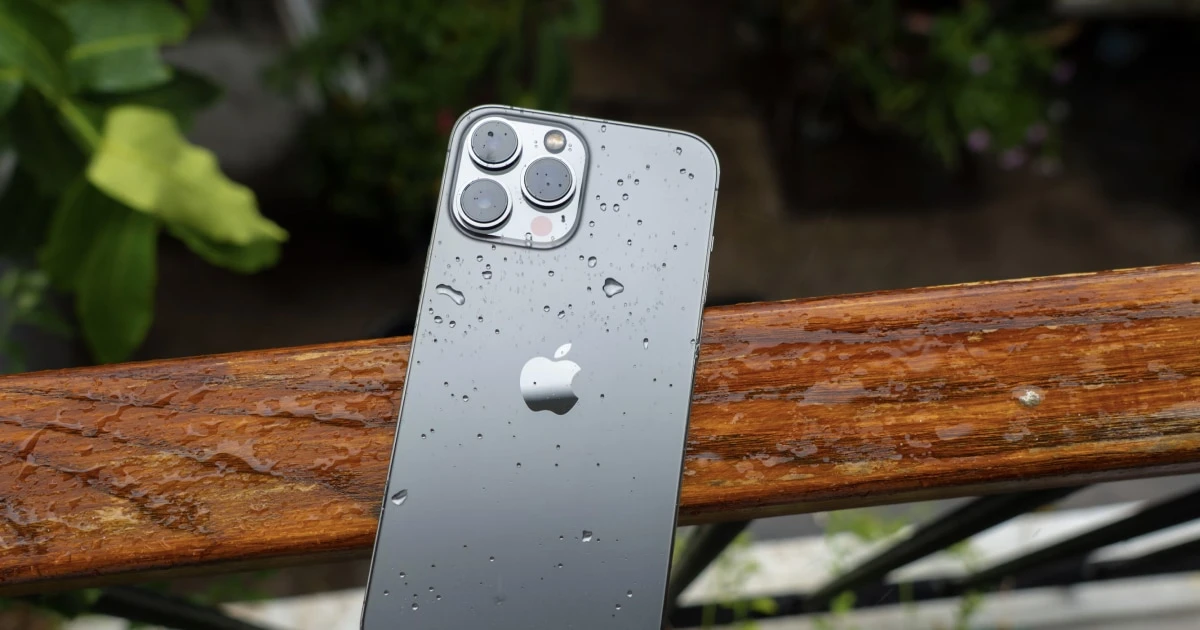
If your phone speaker remains frustratingly quiet even with the volume slider turned all the way up, enjoying music, videos, or phone calls becomes nearly impossible. While low volume immediately raises concerns over permanent hardware failure, it is frequently caused by independent volume channels, background Bluetooth routing, or obstructed speaker meshes.
Working through a systematic troubleshooting process helps you quickly isolate software settings from physical obstructions.
1. Verify independent media volume settings
Smartphones maintain separate volume channels for media playback, phone calls, system rings, and alarms. Adjusting your ringtone or notification volume does not change the loudness of your music and videos.
How to check:
- Open a video or music streaming application and start playback.
- Press the physical Volume Up button on the side of your phone.
- Verification: Confirm on-screen that the active media volume indicator reaches 100%.
2. Disconnect hidden Bluetooth audio routing
Your phone may be secretly transmitting audio to a nearby wireless headset, a parked car’s infotainment system, or a Bluetooth speaker resting in another room.
How to check:
- Open your device settings or quick-access panel.
- Turn off Bluetooth entirely.
- Verification: Play reference audio immediately after disabling Bluetooth to confirm sound projects directly from the built-in handset speakers.
3. Inspect speaker grilles for compacted lint
Pocket lint, dust, and skin oils naturally build up inside smartphone speaker cutouts over time, creating a dense physical barrier that muffles and dampens acoustic output.
How to check:
- Remove your phone case.
- Examine the speaker ports under a bright flashlight.
- Verification: If debris is visible, brush it away gently using a dry, ultra-soft bristle brush, moving strictly parallel to the mesh. For safe maintenance steps, consult our guide on how to clean a phone speaker safely.
4. Test multiple independent audio apps
Some streaming applications apply aggressive volume normalization or low internal gain limits that make audio sound exceptionally quiet compared to system ringtones.
How to check:
- Test a local voice memo or play a default system ringtone in settings.
- Compare output against your streaming app.
- Verification: If system ringtones sound loud and clear while streaming apps remain quiet, the issue is software-specific.
Step-by-step troubleshooting workflow
- Max out media volume: Play an active media track and press the physical Volume Up button until the volume reaches maximum. Verify that media audio increases noticeably compared to ringtone levels.
- Disable Bluetooth routing: Turn off Bluetooth in your quick settings to ensure audio isn’t transmitting to a wireless accessory. Confirm sound plays directly from the internal phone speakers.
- Inspect and clear grilles: Examine speaker ports under a bright light and gently brush away any trapped pocket lint using a dry, soft-bristled brush. Ensure all micro-perforations appear completely clear.
- Run an acoustic frequency test: Test your speaker output across clean reference frequencies to evaluate overall driver performance, listening closely for clean tone reproduction without distortion.
Hardware Safety Warning: Never insert metal pins, sewing needles, or toothpicks into speaker openings, and avoid high-pressure compressed air canisters, as they easily puncture internal acoustic diaphragms.
Can Fix My Speakers help restore low speaker volume?
A software application cannot override the physical amplification limits built into your smartphone’s internal hardware. However, utility tools are essential for diagnosing driver health and clearing liquid barriers.
If moisture is dampening your speaker mesh after exposure to humidity or light splashes, Fix My Speakers offers calibrated 165 Hz water ejection cycles and precision frequency test sweeps to evaluate and clear your mobile audio output.
Download Fix My Speakers from the App Store to run instant speaker diagnostics.
When should you seek professional repair?
If your phone speaker remains abnormally quiet across every application and system sound after maximizing media volume, turning off Bluetooth, and clearing physical grilles, internal hardware damage (such as a blown speaker driver or damaged audio IC) may be present. Contact the device manufacturer or an authorized service provider for a professional hardware evaluation.
The bottom line
A quiet phone speaker is frequently resolved by adjusting independent media volume channels, disabling background Bluetooth routing, or gently clearing pocket lint from the speaker mesh. Work through these simple steps before assuming your hardware has failed.
Frequently asked questions
- Why is my phone speaker so quiet at maximum volume?
- A phone speaker may sound quiet at maximum volume because of blocked speaker openings, audio settings, Bluetooth routing, the audio source, moisture, or hardware damage.
- How can I make my phone speaker louder?
- Check media volume sliders, disconnect hidden Bluetooth devices, inspect speaker grilles for lint, and test multiple independent audio apps.
- Can dust make a phone speaker quieter?
- Yes. Accumulated pocket lint and grime over the speaker mesh dampens high frequencies and restricts airflow, reducing overall output.
- Can Fix My Speakers increase my phone's maximum volume?
- Fix My Speakers cannot override hardware amplification limits, but it provides calibrated 165 Hz water ejection tones and frequency sweeps to test output and clear surface moisture.
- Why is my iPhone speaker quiet during calls but loud enough for music?
- Calls route through the top earpiece receiver rather than the bottom media loudspeaker. Adjust call volume during an active call and inspect the earpiece mesh.
- Can a speaker cleaner app fix a quiet phone speaker?
- A speaker cleaner app can clear surface moisture and test frequency response, but it cannot dissolve dry pocket lint or repair a blown speaker driver.
Get Fix My Speakers on the App Store
Restore your phone speaker clarity today
Eject trapped water with acoustic sound waves, run automated water-removal cycles, and test audio output using precision frequency generators. Free to download for iPhone and iPad. Results vary; sound-based tools cannot guarantee water removal or repair damaged hardware.

Keep reading
What Is the Best Frequency to Clean a Phone Speaker?
Discover which sound frequencies are used for phone speaker cleaning, how frequency affects speaker movement, and what sound-based cleaning can realistically do.
How to Clean Dust Out of a Phone Speaker
Learn how to remove dust from your phone speaker safely, which cleaning methods to avoid, and when a speaker cleaning app can help.
Why Is My Phone Speaker Crackling or Buzzing?
Is your phone speaker crackling, buzzing, or making distorted sounds? Learn the common causes, how to troubleshoot the problem, and how to test your speaker.