

Why Does My Phone Speaker Sound Distorted at High Volume?
Find out why your phone speaker sounds distorted at high volume, how to distinguish normal audio limitations from a potential problem, and what to try.
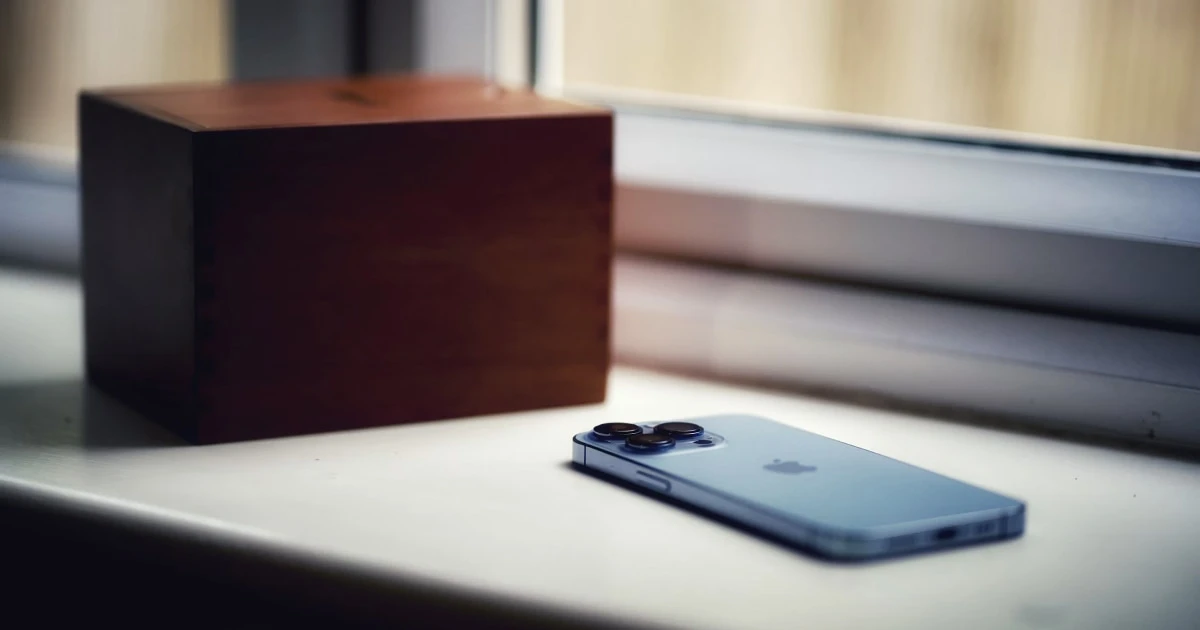
When you crank your smartphone volume to 100%, crisp music or clear voices can suddenly transform into a harsh, buzzy, or clipping mess. While audio breaking up at high output can suggest a blown speaker, it often stems from basic physical driver limits, aggressive software equalizers, poor source recordings, or minor port obstructions.
Diagnosing why your phone speaker distorts at high volume requires isolating mechanical limits from actual hardware defects.
Why phone speakers distort at high volume
1. The speaker is reaching its physical excursion limits
Smartphone speakers are engineering marvels, but they operate within extremely tight physical enclosures. To produce high volume, the driver membrane must vibrate back and forth rapidly over a greater distance (excursion).
When pushed to maximum output, micro-drivers reach their mechanical limit. The voice coil cannot displace air linearly, resulting in natural acoustic clipping and distortion—especially on low-frequency bass notes.
What to try: Lower the system volume down to 70–80%. If the audio immediately clears up and sounds natural, your speaker is healthy and was simply hitting its hardware limits.
2. The source audio file is clipped or heavily compressed
Not all audio sources are created equal. Low-bitrate streaming tracks, heavily compressed voice notes, or poorly mastered videos often contain built-in digital clipping.
When amplified through a tiny mobile speaker, pre-existing digital distortion becomes severely magnified at maximum volume.
What to try: Play a high-quality reference track or local lossless audio recording across different media apps to confirm whether the distortion is source-specific.
3. Equalizer presets or bass boosts are overdriving the amplifier
Built-in equalizer profiles (like “Bass Booster” or custom EQ curves) push low frequencies past what mobile drivers can safely reproduce. Forcing high bass output at maximum volume causes immediate driver rattling and muddy mid-range output.
What to try: Navigate to your device’s sound settings, turn off custom equalizers, disable Spatial Audio or virtual surround effects, and reset audio profiles to flat/default.
4. A protective case or debris is vibrating against the speaker
Thick protective cases or pocket lint trapped around the speaker cutouts can rattle when hit by strong air pressure pulses from maximum-volume playback. This exterior mechanical chatter is easily mistaken for internal speaker failure.
What to try: Strip off your phone case and inspect the grille under a bright light. If debris is visible, review our guide on how to clean a phone speaker without damaging it.
5. Liquid exposure or physical membrane damage
If your phone was dropped or exposed to water, trapped moisture or a cracked diaphragm will cause severe distortion even at lower listening levels.
What to try: Evaluate audio output at moderate volumes. If metallic buzzing or harsh crackling persists at 30% volume across all apps, review our troubleshooting steps for crackling or buzzing phone speakers.
Step-by-step diagnostic workflow for distorted audio
Work through these checks in order to isolate the root cause:
- Lower the master volume: Bring playback down to 50–70% to establish a clean baseline.
- Swap media sources: Compare a local voice recording against a high-bitrate streaming song.
- Strip external accessories: Remove your phone case, screen protectors, and card holders.
- Reset audio settings: Disable equalizers, Dolby Atmos, or custom sound enhancements.
- Restart your device: Clear temporary software audio buffer glitches with a fresh reboot.
- Evaluate hardware health: Test frequency reproduction across left and right speaker channels.
Apple device owners can also consult official diagnostic advice via Apple Support’s guide to speaker distortion.
Can a speaker utility app resolve high-volume distortion?
Utility apps cannot bypass the laws of physics or expand the physical size of your phone’s speaker driver. If your speaker distorts because it is being driven at 100% volume, software cannot force the driver to play louder cleanly.
However, sound utilities are essential for diagnostic testing and moisture clearing:
- Frequency Sweeps: Running clean sine wave sweeps helps identify the exact frequencies triggering speaker rattles or chassis vibration.
- Water Ejection: If high-volume distortion began after liquid exposure, low-frequency pressure pulses can clear surface moisture clinging to the mesh.
With Fix My Speakers, you get direct access to real-time frequency tone generators, stereo diagnostic tests, and automated 165 Hz water ejection cycles to safely evaluate your mobile hardware.
If you suspect moisture is causing your speaker driver to rattle at high levels, explore our guide on whether sound waves can remove water from a phone speaker.
When to seek professional repair
Contact an authorized repair provider or device manufacturer if:
- Distortion remains loud and harsh even at 20–30% volume.
- Voices on standard phone calls sound raspy or unintelligible.
- The speaker produces no lower frequencies at all or rattles constantly.
- Sound quality degraded immediately after a hard drop or fluid immersion.
Avoid repeatedly blasting 100% volume on a speaker that is clearly distorted, as overdriving a damaged driver can permanently tear the membrane.
The bottom line
Distortion at maximum volume is frequently a normal limitation of small mobile speakers pushed past their comfort zone. Reduce your volume slightly, turn off aggressive equalizer presets, and test clean reference audio files before assuming hardware failure.
When you need to test left/right speaker channels, run precise frequency sweeps, or clear surface liquid, download Fix My Speakers from the App Store to keep your audio sounding its best.
Frequently asked questions
- Why does my phone speaker sound distorted at maximum volume?
- Compact smartphone speakers can reach their mechanical excursion limits when pushed to maximum volume, causing acoustic clipping, buzzing, or harsh output.
- Can playing sound at maximum volume damage my phone speaker?
- Continuously playing heavily clipped or overdriven audio at 100% volume can heat up internal voice coils and risk tearing fragile speaker diaphragms over time.
- How can I tell if my phone speaker is physically damaged?
- Test your device using multiple reference audio tracks at 50% volume. If persistent buzzing, cracking, or clipping continues at moderate levels, hardware damage is likely present.
- Can an app fix distorted phone audio?
- An app can test speaker frequencies and clear surface moisture, but it cannot fix clipped audio recordings, restore blown speaker diaphragms, or override hardware limits.
Get Fix My Speakers on the App Store
Restore your phone speaker clarity today
Eject trapped water with acoustic sound waves, run automated water-removal cycles, and test audio output using precision frequency generators. Free to download for iPhone and iPad. Results vary; sound-based tools cannot guarantee water removal or repair damaged hardware.

Keep reading
Why Is My Phone Speaker Crackling or Buzzing?
Is your phone speaker crackling, buzzing, or making distorted sounds? Learn the common causes, how to troubleshoot the problem, and how to test your speaker.
Why Does My Phone Speaker Sound Muffled? Causes and Fixes
Is your phone speaker muffled? Learn the common causes, how to troubleshoot blocked grilles and moisture, and how Fix My Speakers can help with certain speaker issues.
Phone Speaker Too Quiet at Maximum Volume? Causes and Fixes
Is your phone speaker too quiet even at maximum volume? Discover common causes, practical troubleshooting steps, and how Fix My Speakers can help you test your phone's sound.